
Specify the business outcome before the steps
A workflow diagram can look complete while leaving its purpose ambiguous. Start with a concrete outcome: an eligible enquiry reaches the right owner with enough information to respond. Then define the trigger, required input, expected action and evidence of completion.
This framing makes failure meaningful. A missing owner is not simply a technical error; it is a customer waiting without an accountable response. The recovery path should reflect that consequence. Some failures can wait for a scheduled retry, while others need immediate human review.
Validate at the boundary
Check incoming data before performing downstream actions. Confirm the source, expected structure, required identifiers and allowed values. If the workflow requires an account reference, do not silently substitute an empty value and create a record that another team must investigate later.
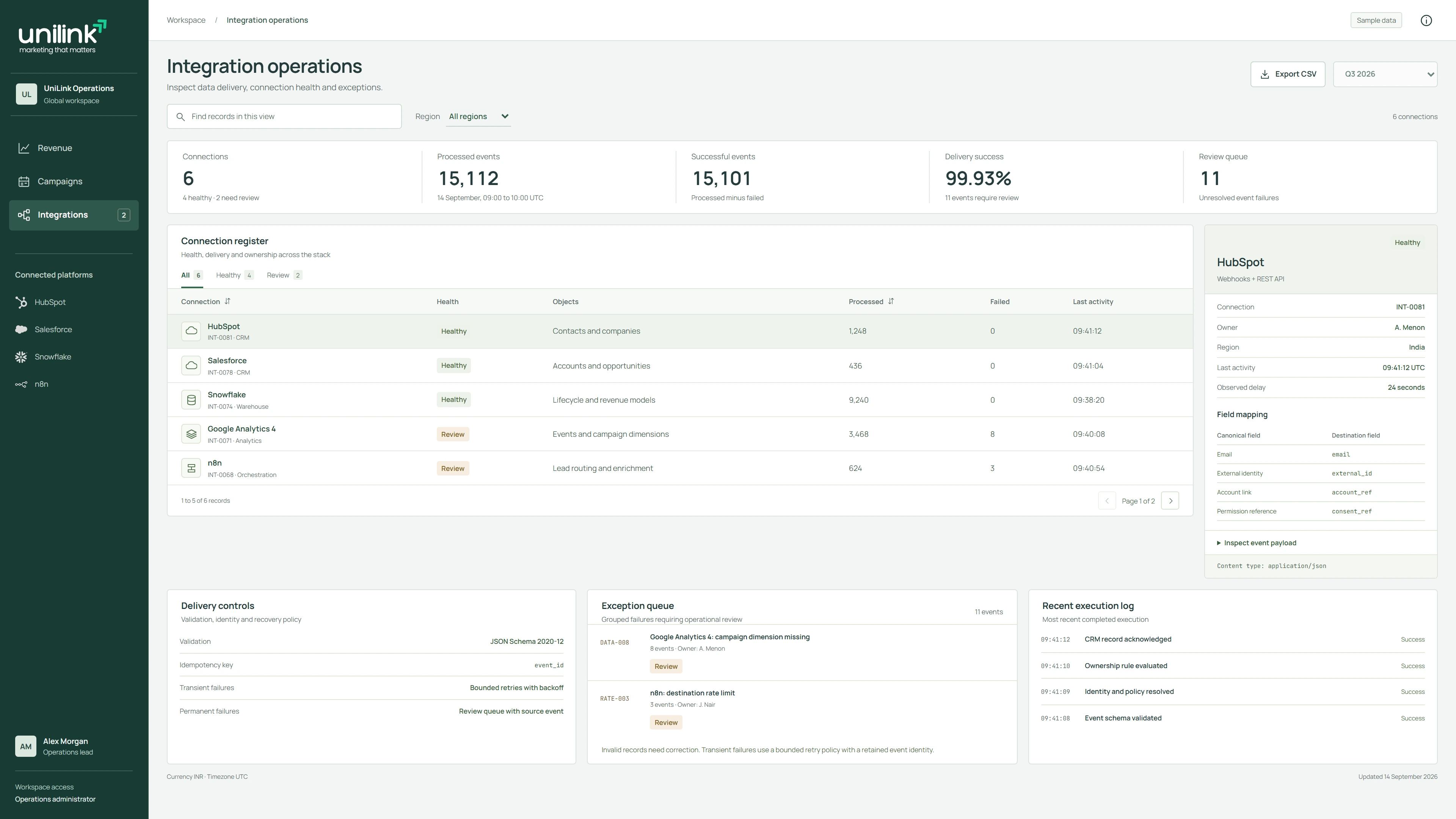
Validation should distinguish a rejected event from a temporary processing problem. A malformed payload needs a clear reason and a correction path. A destination that is briefly unavailable may justify a retry. Treating both cases identically creates noise and can turn a small issue into an operational backlog.
Assume an event can arrive again
An event may be delivered repeatedly or an operator may need to replay it. The workflow should recognize whether the business action has already happened. A stable event identifier, destination reference or supported idempotency key can form part of that design.
Be especially careful with actions that communicate externally or create a new business record. A repeated notification may be inconvenient; a repeated customer message or opportunity can affect trust and reporting. Verify what happens if the destination accepts the action but the response never reaches the workflow.
Use bounded recovery with visible ownership
Microsoft’s retry guidance distinguishes transient faults from failures that are unlikely to succeed when repeated. Apply a delay appropriate to the dependency and stop after an agreed number of attempts. Repeated rapid requests can make an overloaded destination less available.
When automatic recovery is exhausted, route the exception to a named owner with the failed step, record reference and recommended next action. Workflow platforms can help implement this pattern. For example, n8n supports error workflows that begin with an Error Trigger and run when an associated execution fails.
Make the recovery decision visible to the operator
A useful recovery view includes the failed step, source business key, mapping or workflow version, attempts already made and destination actions known to have completed. The operator should be able to distinguish correcting invalid input from retrying a temporary failure. Avoid a single replay button that hides whether an email was already sent or a task was already created.
In n8n, Stop And Error can deliberately fail an execution when a business condition is invalid, and an error workflow can start with Error Trigger to handle an associated failure. The documented retry options can use either the original workflow or the currently saved workflow. That choice matters after a logic correction: preserving earlier inputs does not mean every earlier action is safe to repeat. Test the selected recovery path against a destination with an already completed side effect.
Test recovery as a real user task
A workflow is not ready because its normal path passed once. Test missing fields, duplicate events, expired credentials, throttling, partial success and unavailable owners. Also test what the operator sees and whether the documented recovery steps lead to the intended outcome.
Keep execution records useful and proportionate. Preserve timestamps, identifiers and failure context while limiting sensitive payload data. Document who maintains credentials, who reviews exceptions and what changes require another validation pass. Automation becomes dependable when its operating process is as clear as its successful path.